

Top 5 Python IDEs For Data Science
IDE stands for Integrated Development Environment. It’s a coding tool which allows you to write, test, and debug your code in an easier way, as they typically offer code completion or code insight by highlighting, resource management, debugging tools,… And even though the IDE is a strictly defined concept, it’s starting to be redefined as other tools such as notebooks start gaining more and more features that traditionally belong to IDEs. For example, debugging your code is also possible in Jupyter Notebook.
You can probably most clearly see this evolution in the results of the Stack Overflow Developer Survey below, which also includes these new tools, next to the traditional IDEs that you might already know; They all fall under the section “development environment”.
Because of all the features that IDEs have to offer, they are extremely useful for development: they make your coding more comfortable and this is no different for data science. However, given the fact that there aren’t only the traditional IDEs to consider, but also new tools, such as notebooks, you might be wondering which development environment to use when you’re just starting out with data science.
IDEs Versus Text Editors

The truth is that you can code in almost any software, from prompt command to Windows notepad, but you may also want a proper programming environment which combines coding facility with a debugging environment.
So why would or do you choose a traditional IDE instead of, for example, a notepad?
The answer would be practicality. For instance, imagine that you are coding in any text editor like Windows notepad. When your code is ready, you’ll need to run it. You can’t execute your program in a text editor like this, so you must use a prompt command to do it. Rather than use two different programs, wouldn’t better have it all in just one place? That’s what an IDE is ready for.
But, take a closer look at the image above. Notepad++, which is a text editor in its essence, is one of the tools most used by Stack Overflow community.
Isn’t that weird?
Well, many text editors can be used as a development environment if you make use of plugins: when you’re working with Notepad++, for example, you can use these plugins such as the DBGP for Notepad++ to install a debugger in the application, allowing you to run and analyze your code directly in your favorite text editor.
And this immediately explains why text editors can be so popular: they not only offer you the blank slate, but they also give you the option to add features that you might need. This stands in clear contrast with IDEs such as Visual Studio and Spyder, where these features are built in and you don’t need to install anything else to start developing, but where the learning curve might be a little bit steeper for users.
The Top 5 Development Environments
Creating a list with just five development environments for data science with Python is a hard task: you might not only want to consider the possible learning curve, price or built-in/downloadable features, but you also might want to take into account the possibility to visualize and report on your results, or how easy a certain the environment is to collaborate with others.
You’ll see that your choice will balance all of these things and that the ‘best’ development environment for you will be the one which makes your life easier and your work more comfortable. This means that you could potentially also switch between IDE, notebook and text editor according to whatever is more useful for you!
That’s why it’s best to see this list as a guide of software to test before you pick your favorite.
Spyder
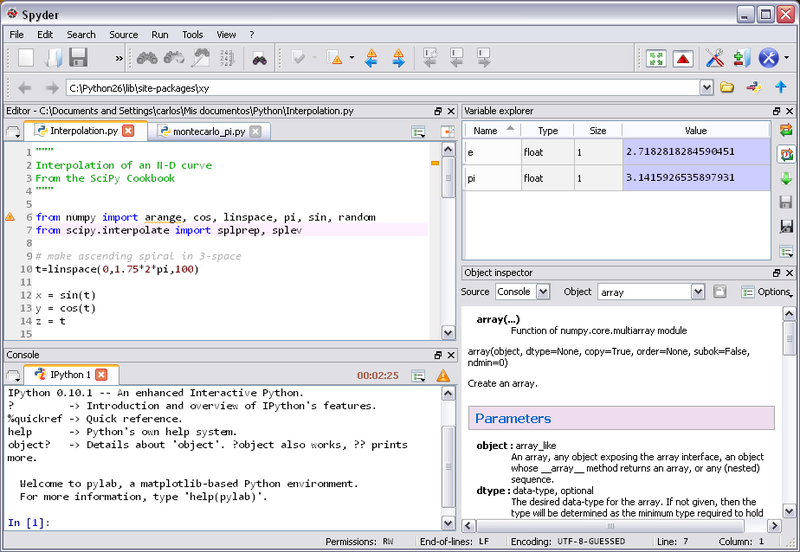
If you have the Anaconda distribution installed on your computer, you probably already know Spyder. It’s an open source cross-platform IDE for data science. If you have never worked with an IDE, Spyder could perfectly be your first approach. It integrates the essentials libraries for data science, such as NumPy, SciPy, Matplotlib and IPython, besides that, it can be extended with plugins.
PyCharm

PyCharm is an IDE made by the folks at JetBrain, a team responsible for one of the most famous Java IDE, the IntelliJ IDEA.
Thonny

The next IDE is Thonny: an IDE for learning and teaching programming. It’s a software developed at The University of Tartu, which you can download for free on the Bitbucket repository for Windows, Linux, and Mac.
Among its features, Thonny supports code completion and highlight syntax errors, but it also provides a simple debugger, which you can run your program step-by-step. This is very nice for beginners, as they can step through statements and expressions. While editing a function, a new window is opened with local variables and the code being shown separately from your main code. The purpose of Thonny is to give you a good understanding of how Python works under the hood.
Atom
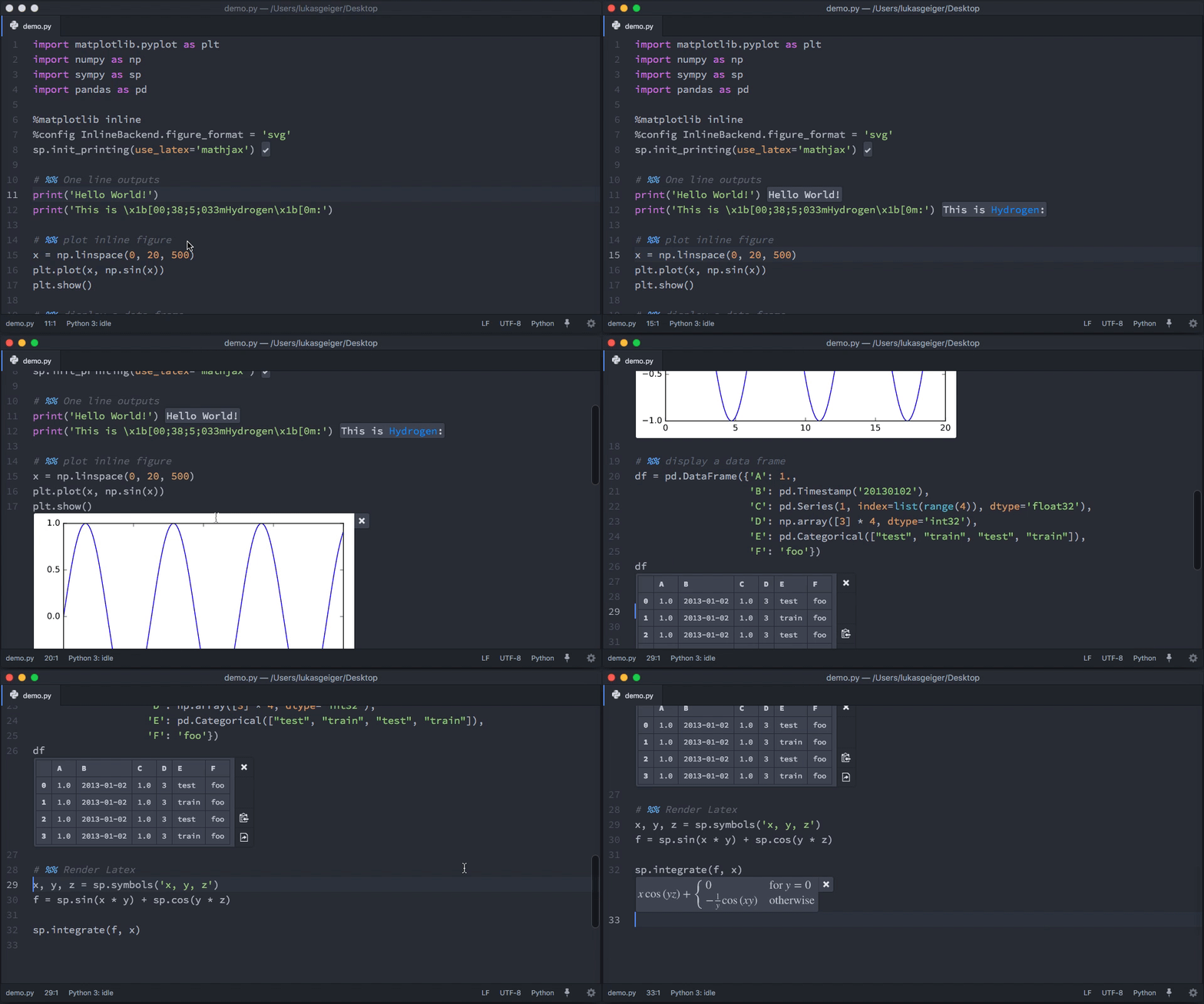
An open source text editor developed by Github. That sounds great, right?
That’s exactly what Atom is.
You should try it out because… Although this text editor is available for many popular programming languages such as Ruby on Rails, PHP, Java and so on, Atom has interesting features that create a good experience for Python developers.
Jupyter Notebook

Jupyter Notebook was born out of IPython in 2014. It is a web application based on the server-client structure, and it allows you to create and manipulate notebook documents - or just “notebooks”.
Other IDE Alternatives To Consider
What’s the best IDE for you?
The answer is simple: that one which makes your life easier and your work more comfortable.
The purpose of this list is to give you good references to start off. You can test each one and give your considerations about what it’s good and bad at. In addition to that, you can try some alternatives, and maybe you’ll even find them better than the ones that are put in the top 5!
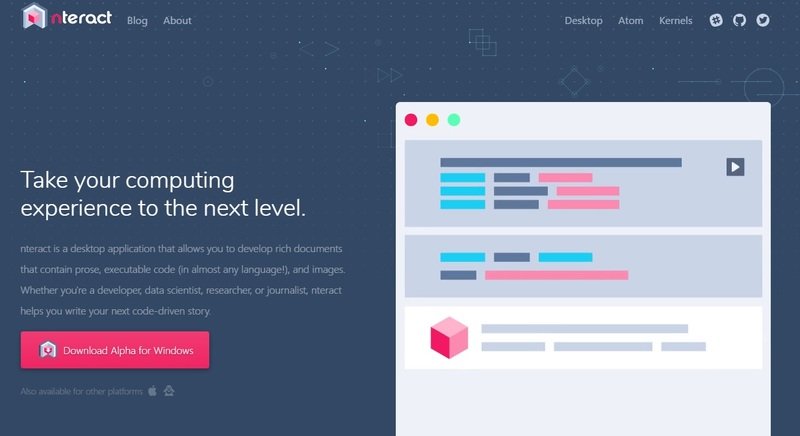
For instance, nteract could be a good alternative for those who are looking to focus more on writing a code-driven story. nteract is a desktop application that allows you to create notebooks just like Jupyter Notebook. You already see: instead of working in the browser like with Jupyter, you actually download nteract and execute the application to be able to develop beautiful documents with code, words, and images. With this installation procedure, you have a terminal-free experience, which could be even better if you’re new to coding.